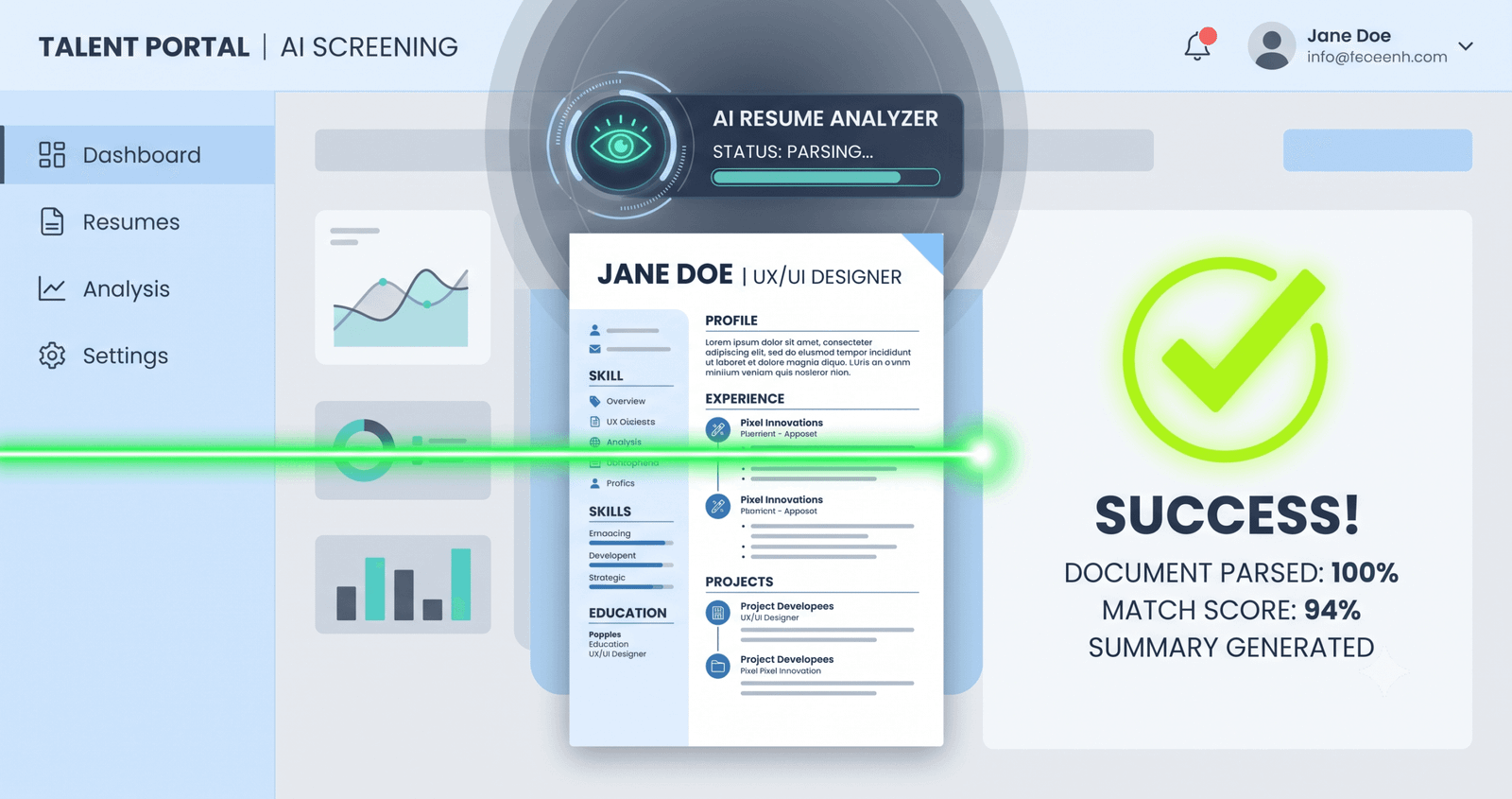
Most career advice treats applicant tracking systems like a black hole that eats anything with a sidebar. That diagnosis is wrong. The real question isn’t whether two-column resumes pass ATS — it’s whether your specific parser can reconstruct reading order from a PDF’s content stream without interleaving your job title with your phone number.
Direct answer: Some do. Many don’t. And the systems that break do so silently, which is far worse than an outright rejection.
Most Viral Tool - Google Reviews Tool | SEO Audit Tool | ATS Resume Generator| Seller Profit & Tax Spreadsheet |
Key Takeaways
- Parser architecture determines survival: Two-column layouts survive modern AI-vision parsers but frequently collapse in legacy linear-text engines.
- The “Two-Column Trap”: The failure isn’t visual design; it is scrambled, interleaved sentence fragments created during raw text extraction.
- Source software matters: Canva, Figma, and InDesign exports fail at drastically higher rates than native Microsoft Word column splits.
- The parsed profile gatekeeper: Recruiters review the auto-populated “Parsed Candidate View” first, where column scrambles lower your score before anyone views the original PDF.
- The zero-risk rule: For cold applications through enterprise portals (such as Workday ATS, Taleo, BrassRing, and iCIMS), single-column remains the only format that never fails reading order.
How ATS Actually Parses Columns
Here’s what most articles miss: ATS software does not read a resume like a human sitting in front of a monitor. They do not look at formatted pages. They extract text streams.
When an ATS parser ingests your PDF, it accesses the document’s underlying content stream — specifically the Begin Text (BT) and End Text (ET) blocks that define text objects along with their Cartesian bounding-box coordinates (x, y). What happens next depends entirely on the generation of the parser handling your file.
A modern parser running spatial clustering algorithms groups coordinates into distinct two-dimensional zones. A legacy parser simply reads the text stream in the sequential order the authoring software wrote the objects to disk.
That distinction decides whether your application gets screened or shredded.
Trending Today- Earn $$$ FREE | Trending LIFE Quotes | HOT DEBATES | Autograph | FREE PAID Tools | Advertise FREE |
In a standard single-column resume, the text stream naturally mirrors human reading order: name, contact info, summary, experience, education, skills. But in a two-column design, software often commits the left sidebar as an isolated text stream object either before, after, or interspersed between body paragraphs. When a linear parser flattens that stream, it doesn’t separate the columns. It reads across the horizontal plane.
Your sidebar skills get injected straight into your bullet points.
The Spatial Coordinate Reality
Modern ATS engines — such as Greenhouse, Lever, and newer enterprise deployments of Workday Skills Cloud — use bounding-box clustering. They capture the coordinates (x0, y0, x1, y1) for every text run, calculate vertical line baselines, and recognize horizontal white gutters as column boundaries. When margins and gutters are distinct, spatial parsers reconstruct two-column layouts with impressive accuracy.
However, legacy architectures (and legacy enterprise modules still running inside older instances of Taleo, BrassRing, and earlier iCIMS engines) use linear string extraction. They extract text top-to-bottom, sweeping horizontally across the page. If text from Column A sits at the same vertical coordinate as text from Column B, the parser concatenates them.
Consider this real-world scenario: An engineering candidate, Marcus, applies to a defense contractor using an older enterprise portal. His two-column resume places technical competencies on the left rail at y=240:
Python | Docker | Kubernetes
At the exact same vertical coordinate on the right side (y=240), his experience bullet begins:
Led cross-functional migration of microservices architecture...
The linear parser reads across the horizontal line, outputting:
Python Led Docker cross-functional Kubernetes migration of microservices architecture...
The parser does not throw an error. It does not crash. It simply indexes nonsense. The skill keywords are technically present, but the semantic relationship between the action verb, the responsibility, and the outcome is destroyed. When the recruiter searches for “architectural leadership” or filters by role seniority, Marcus’s qualification score drops.
That is the Two-Column Trap.
The System-by-System Breakdown
Not all applicant tracking systems handle multi-column layouts equally. The table below outlines real-world extraction behaviors across dominant ATS platforms based on parser architectures and recruiter-side audit logs.
| ATS Platform | Parsing Architecture | Two-Column Risk | Extraction Behavior & Failure Modes |
|---|---|---|---|
| Workday | Hybrid (Bounding-box clustering + AI vision layer) | Low to Medium | Modern instances handle clean columns well; breaks when text boxes or graphical dividers are used. (See our guide on how to pass Workday ATS). |
| Oracle Taleo | Legacy linear extraction / Regex rules | High | Consistently scrambles sidebars into main body text; merges contact info with career summaries. |
| Greenhouse | Spatial coordinate parser (Textkernel / Sovren engine) | Low | Correctly reconstructs left/right reading order provided column gutters exceed 0.5 inches. |
| Lever | Spatial coordinate parser | Low | Reconstructs columns accurately; occasional bleeding when sidebars include date ranges. |
| iCIMS | Varies by client tier (often legacy linear) | Medium to High | Older corporate configurations flatten PDFs without column awareness; drops skills into job descriptions. |
| BambooHR | Spatial extraction | Low to Medium | Handles native Word column splits; fails when columns are constructed using borderless tables. |
| IBM Kenexa / BrassRing | Linear text scanner | High | Extremely high failure rate on multi-column layouts; frequently drops entire left-hand rails. |
If you are applying to a high-growth tech company using Greenhouse, your clean two-column resume will likely parse without incident. But if you are submitting to a healthcare network, bank, or multinational enterprise running an older instance of Taleo or BrassRing, submitting two columns is an unnecessary roll of the dice.
Why Software Source Matters: Word vs. Canva vs. LaTeX
Two resumes can look identical to your eye while having completely contradictory underlying code.
When you create a two-column resume in Microsoft Word using the native Layout > Columns feature, Word writes a sequential stream: Column 1 is completed from top to bottom, followed by an explicit column break token, followed by Column 2. Even a primitive parser reading the raw content stream has a high probability of reading your skills first, then your experience, preserving sentence integrity.
Now look at Canva, Figma, or Adobe InDesign.
Graphic design tools do not treat text as structural prose. They treat text as graphical objects positioned on a canvas. A text block in Canva is rendered into the PDF as an independent floating coordinate. Depending on the order in which you clicked, edited, or grouped those boxes, the PDF’s internal text stream may store your 2024 job title after your 2018 education, or interleave your sidebar contact details right into your second bullet point.
When an ATS extracts text from a Canva-generated PDF, the visual layout vanishes. All that remains is an arbitrary pile of coordinates. Before applying, you should always check your document using a free ATS resume checker to ensure text extraction is clean.
How to Test Your Resume in 60 Seconds
Never rely on how your resume looks on screen. Test how machines extract it.
Test 1: The Plain Text Copy-Paste Audit
This simple test uncovers 80% of layout failures instantly:
- Open your resume PDF in Adobe Acrobat, Chrome, or Preview.
- Press
Ctrl + A(orCmd + Aon Mac) to select everything. - Copy the text and paste it into a blank, unformatted text editor like Notepad or TextEdit.
- Read the pasted text from top to bottom.
If your phone number is wedged between two words of your job summary, or your sidebar skills are scattered across your work history, that is exactly what the ATS database ingested.
Test 2: The Command-Line Extraction Test (pdftotext)
For an exact replica of how enterprise parsers extract raw content streams, use the open-source pdftotext utility:
pdftotext -layout my_resume.pdf extracted_output.txt
Open extracted_output.txt. The -layout flag instructs the engine to preserve physical spatial coordinates. If you observe broken line continuity, overlapping text blocks, or lost section headers, your layout will fail linear parsers.
Decision Matrix: When Two Columns Are Acceptable
Two-column layouts are not inherently bad. They are simply a specialized tool that belongs in specific application channels.
| Application Channel | Recommended Layout | Strategic Rationale |
|---|---|---|
| Cold Application via Enterprise Portal (Workday, Taleo, iCIMS, BrassRing) |
Single-Column Only | Zero risk of text stream interleaving. Maximum compatibility across legacy and modern parsers alike. |
| Direct Email to Hiring Manager / Recruiter | Two-Column Allowed | Human eyes read the attachment directly. Two-column layouts exploit natural F-pattern scanning habits. |
| In-Person Interviews & Career Fairs | Two-Column Recommended | Superior visual hierarchy; allows concise grouping of skills, credentials, and metrics on a single sheet. |
| Referral with ATS Upload Required | Single-Column Preferred | Even with an internal referral, your file enters the candidate database. A corrupted parse creates friction for the recruiter. |
| Creative / Design Roles (Portfolio attached) |
Hybrid Strategy | Submit a clean, single-column text resume to the application portal; link out to your visual portfolio site. |
Common Structural Mistakes That Break Extraction
Even single-column resumes fail when built on bad architecture. Avoid these common implementation errors:
- Using Borderless Tables for Alignment: Many job seekers use 2×1 tables to align contact information or split skills. Many parsers extract tables row-by-row across columns rather than down columns, merging the left and right cells into garbled sentences.
- Floating Text Boxes: Text boxes in Word exist outside the main document body canvas. Some extraction tools skip floating shapes entirely, causing your entire technical skill section or contact header to disappear.
- Vital Information in Headers/Footers: To save space, candidates frequently place phone numbers, emails, and LinkedIn links inside the document header or footer. Enterprise parsers routinely strip headers and footers to eliminate page numbers, stripping your contact details in the process.
- Non-Standard Section Headings: Using creative headers like “Where I’ve Been” instead of “Work Experience” prevents the parser’s Named Entity Recognition (NER) model from mapping your content to the correct database fields.
Advanced Insights: The Dual-View Reality of Modern Recruiting
Here is what actually happens on the recruiter’s screen when you submit your application.
When an application arrives, recruiters rarely start by viewing your original PDF. Instead, they are presented with the Parsed Candidate Profile — a standardized interface populated automatically by the ATS database fields (Candidate Name, Current Title, Previous Employers, Years of Experience, Skills List).
The system calculates an automated fit score based on data extracted into those fields. If your two-column layout scrambled your job titles or failed to associate dates with companies, your profile displays empty fields or truncated timelines. The recruiter sees a disorganized profile, assumes you lack the required qualifications, and moves to the next applicant without ever clicking the button marked “View Original Document.”
The original PDF only gets viewed after the candidate passes the automated parse check.
Frequently Asked Questions
Do two-column resumes automatically get rejected by ATS?
No. Systems do not reject files purely for having two columns. The issue is extraction failure: when older or linear parsers attempt to read across both columns simultaneously, text gets scrambled, leading to unindexed keywords and lower qualification rankings.
Is PDF or Word (.docx) better for two-column resumes?
A standard Microsoft Word (.docx) file is parsed more reliably than a PDF because Word preserves internal semantic document tags (paragraphs, headings, columns). However, if you use a single-column layout, a clean, text-based PDF generated from Word or Google Docs is equally safe and preserves visual typography across devices.
Can modern AI ATS systems read two-column resumes?
Yes. Contemporary ATS platforms that utilize spatial coordinate mapping or computer-vision-assisted parsing (such as modern Greenhouse, Lever, and updated Workday releases) can reconstruct two-column layouts accurately, provided the columns are separated by clear margins and do not rely on floating text boxes.
How should I format my skills section if not in a sidebar?
Use a linear, categorized bulleted list or inline grouped rows in a single column (e.g., “Languages: Python, Go, TypeScript | Frameworks: React, Node.js, FastAPI”). This ensures sequential reading order without risking horizontal text interleaving.
The Bottom Line
The ongoing debate over two-column resumes pits graphic design against computer science. Visually, columns make efficient use of horizontal white space. Mechanically, they introduce structural ambiguity into documents that must be parsed by hundreds of different software engines of varying vintages.
When you apply for a job online, you do not get to choose which parsing engine evaluates your file. You could face a cutting-edge spatial parser, or you could face an enterprise system running an unpatched extraction engine configured a decade ago. Unless you are handing your resume directly to a human being, a single-column layout remains the only architecture that never fails a reading order test.