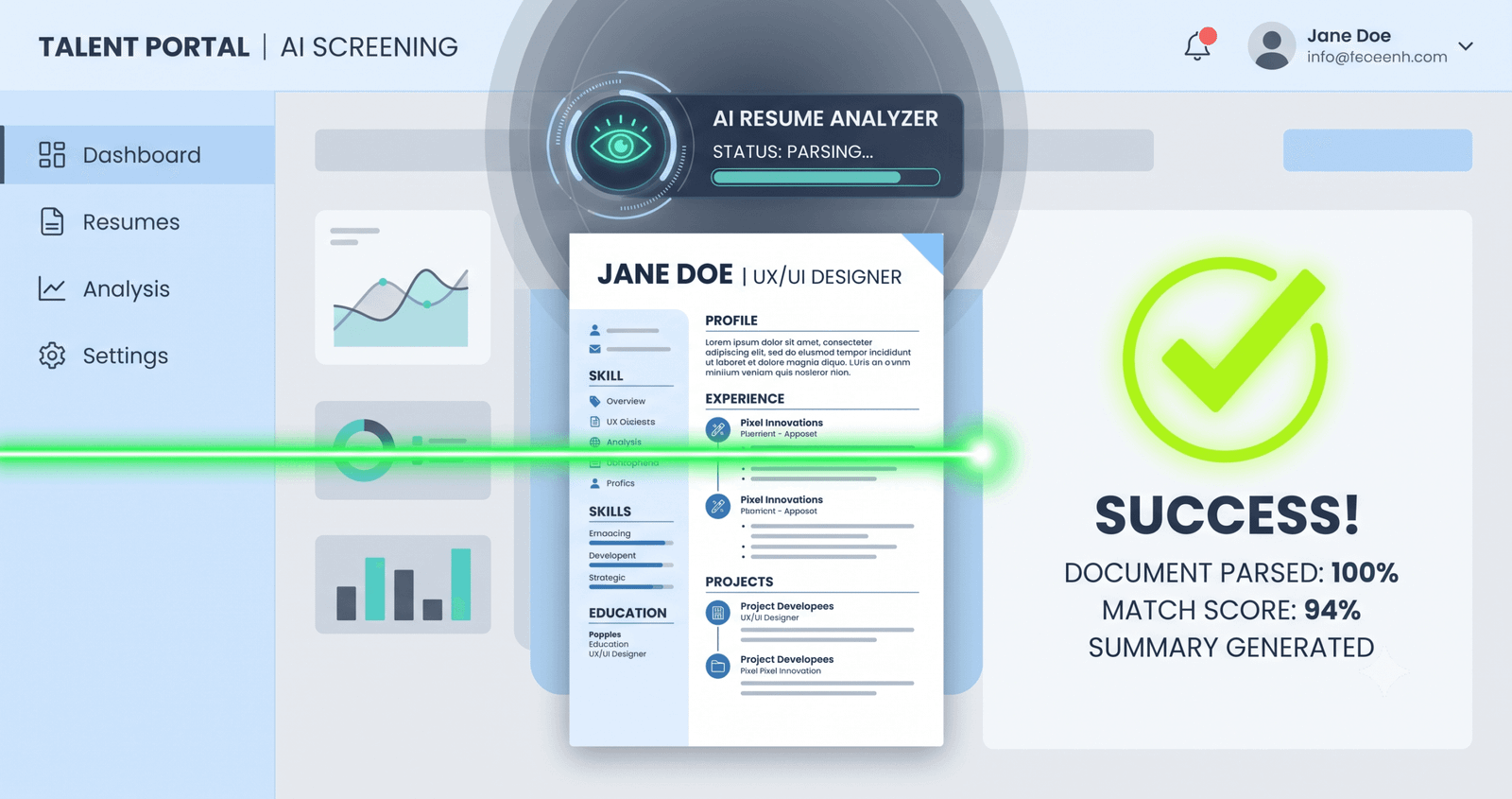
You know the sinking feeling. You click “Apply,” and suddenly you are redirected to a familiar, sterile subdomain: myworkdayjobs.com. You are forced to create your forty-seventh separate candidate profile, enter your address three times, re-type your entire work history because the parser mangled your job titles, and hit submit—only to receive an automated rejection email at 3:14 AM forty-eight hours later.
Most job seekers believe an ominous artificial intelligence algorithm evaluated their writing, computed an arbitrary percentage score, and discarded their application into an electronic furnace.
Most Viral Tool - SEO Audit Tool | ATS Resume Generator| Seller Profit & Tax Spreadsheet |
That is not what happened.
The Direct Answer: To pass Workday ATS, you must clear two distinct hurdles: automated knockout criteria and recruiter triage filters. Workday does not independently decide who gets hired; instead, it uses a semantic engine called Workday Skills Cloud to parse candidate data into uniform candidate profiles. You pass by satisfying binary knockout questions (location, sponsorship, certifications), utilizing a single-column resume that parses flawlessly during the upload step, and matching the standardized skill taxonomies recruiters use to filter their pipeline.
Essential Realities at a Glance
- The Auto-Fill Screen is Your Scorecard: If Workday’s upload step scrambles your dates, companies, or titles, that exact scrambled mess is what the human recruiter sees on their applicant dashboard.
- Knockout Questions Kill Resumes First: Over 70% of instant rejections happen because of screening checkboxes (visas, minimum years of required experience, certifications), not keyword density.
- Skills Cloud Uses Taxonomies, Not String Matching: Workday groups related competencies into standardized clusters. Writing “Python” matches you to “Programming Languages,” but writing obscure internal project acronyms leaves your profile blank in search results.
- Formatting Complexity is Fatal: Multi-column layouts, graphics, tables, and header/footer contact blocks break Workday’s optical character recognition, causing critical data to drop out of searchable candidate grids.
How Workday ATS Actually Works Behind the Recruiter Curtain
Workday is not simply an applicant tracking system; it is an enterprise Human Capital Management (HCM) software powering more than half of the Fortune 500, including Target, Walmart, Salesforce, Bank of America, and Amazon. Because it links talent acquisition directly to corporate payroll and organizational planning, its hiring portal is built around rigid data structure rather than creative layout.
When you submit your resume, Workday ingests the file and sends it through its proprietary parsing pipeline. The system strips the visual layer, extracts text blocks, and maps raw text to predefined database fields: First Name, Job Title, Employer Name, Start Date, End Date, Degree, and Skills.
Trending Today- Earn $$$ FREE | Trending LIFE Quotes | HOT DEBATES | Autograph | FREE PAID Tools | Advertise FREE |
Once parsed, your application lands in a requisition queue alongside dozens or hundreds of others. Here is the operational reality: recruiters rarely open individual PDF attachments during the initial triage stage. Instead, they view a high-density candidate workbench table displaying parsed candidate summaries, knockout question flags, and automated match indicators.
If your formatting caused your last five years of senior leadership experience to vanish from the parsed work history table, the recruiter scrolling that grid sees an incomplete profile and moves on to the next row within five seconds.
Surprising Operational Fact: Recruiters can sort applicant pipelines by “Skills Match,” but they set the weighting manually per requisition. Workday compares your parsed skills against the job requisition’s designated required and preferred skill attributes using its semantic knowledge graph.
The Workday Auto-Fill Litmus Test
Most applicants treat the “Review Application” step as an annoying technical chore. They curse at the fields that scrambled, manually correct their job titles, and hit submit without realizing the system just showed them their report card.
Workday uses the exact same parsing engine to populate those online application fields as it uses to populate the recruiter’s review dashboard.
If Workday placed your job title into the “Company Name” field, misread your employment dates as your home address, or merged three different accomplishments into one broken bullet point, the parser failed. Even if you manually fix the text boxes in the web form, the raw parsed resume record attached to your profile can retain parsing anomalies that interfere with backend boolean queries.
When the auto-fill fails to extract your information cleanly, your document’s formatting is actively working against you. (If you want to verify your resume’s extraction viability before applying, you can test it on our free AI Resume Tailor tool).
The Formatting Rules That Guarantee Parser Accuracy
Passing Workday’s document scanner does not require plain notepad text, but it demands strict visual hierarchy. The parser reads documents sequentially from top to bottom, left to right.
- Stick to a single-column layout: Two-column resumes, sidebar skill callouts, and split timelines confuse the reading order. Workday frequently reads across columns horizontally, stitching the left column’s bullet points directly into the right column’s dates.
- Keep contact details in the document body: Never place your email address, phone number, LinkedIn URL, or city/state inside the Word or PDF document header/footer zone. Many enterprise parsers bypass header/footer layers entirely to save processing bandwidth.
- Avoid tables and graphic text boxes: While tables look tidy to human eyes, parsers frequently read tabular cells out of sequence or discard text wrapped inside graphic containers.
- Standardize section titles: Use standard, universally recognized headings:
Work Experience,Education,Skills, andCertifications. Replacing these with creative variants like “Where I’ve Made an Impact” or “Competencies & Passions” breaks the parser’s section-identifier heuristics. - Adopt consistent date structures: Always format dates as
MM/YYYY - MM/YYYYorMonth YYYY - Month YYYY(e.g.,04/2021 - PresentorApril 2021 - Present). Avoid bare years like “2021 – 2023”, which complicate calculated tenure algorithms.
| Resume Element | What Fails in Workday | What Passes Flawlessly |
|---|---|---|
| Layout Structure | Two-column split templates (Canva, modern Figma exports) | Single-column linear flow from top to bottom |
| Contact Data | Embedded inside the native document header or footer | Placed at the very top of the main body text |
| Skills Section | Visual progress bars, percentage circles, unlabelled tag clouds | Categorized plain-text lists (e.g., “Languages:”, “Frameworks:”) |
| File Type | Graphic-heavy PDFs, scanned image PDFs, non-standard formats | Clean text-based PDF or standard Microsoft Word (.docx) |
| Date Formatting | Ambiguous seasons (“Spring 2020”) or isolated years (“2019 – 2022”) | Explicit month and year markers (e.g., “06/2019 – 08/2022”) |
Workday Skills Cloud: Understanding Semantic Alignment
A common misconception is that passing an ATS requires copying and pasting the exact wording from the job posting fifty times. In modern Workday instances, this tactic backfires.
Workday utilizes Skills Cloud, a machine-learning engine trained on tens of millions of job descriptions and career trajectories. Skills Cloud does not rely on literal string matching; it operates on a foundational graph of standardized skills and relationships.
For example, if a job posting asks for “Budget Management,” the Skills Cloud understands that your resume bullet mentioning “P&L Ownership,” “Fiscal Planning,” and “CapEx Allocation” represents the exact same core competency. It clusters these terms under the unified enterprise skill entity: Financial Management.
However, the system requires sufficient context to establish that match. Stacking a series of disconnected buzzwords at the bottom of your resume without linking them to accomplishments provides zero depth scoring. To see how this compares across other enterprise ATS platforms, read our in-depth comparison of Workday vs. Greenhouse formatting rules.
The White-Font Trap: Never paste invisible white text or hidden keywords in the margins of your document. Workday’s parsing engine converts all incoming files into normalized, plain ASCII text for recruiter inspection. The recruiter will see a massive, messy block of out-of-context terms at the bottom of the profile, resulting in immediate blacklisting for system manipulation. (Review the 7 hidden parsing errors that trigger disqualifications for more context).
Knockout Questions: The Hidden 60-Second Disqualifier
Before any human or algorithm looks at your resume content, Workday evaluates your responses to preliminary screening questions. This is where the overwhelming majority of candidate rejections happen.
These questions are configured by the employer’s HR operations team to enforce mandatory baseline criteria:
- Legally binding work authorization: “Will you now or in the future require visa sponsorship?” Answering “Yes” when a company does not sponsor immediately triggers an automated rejection disposition rule.
- Minimum credential verification: “Do you hold an active PMP certification?” If the requisition lists this as a non-negotiable prerequisite and you select “No,” the application is routed straight to the archive folder.
- Location and onsite presence: “Are you willing to work from our Austin office three days per week?” Selecting “No” on a strict hybrid role is an immediate disqualifier.
- Compensation alignment: Some Workday configurations ask for minimum salary expectations. Entering a figure above the requisition’s maximum budgeted range can trigger a hard stop.
Treat every screening checkbox as a legal gatekeeper. If your qualifications legitimately align with what the role allows, verify that your answers are completely accurate before submitting.
Here’s What Most Articles Miss: Enterprise Candidate History
Here’s what most articles miss: Workday is an enterprise-wide system of record, which means your application does not exist in an isolated vacuum. When you apply to a company using Workday, the system ties your candidate profile, email address, phone number, and resume history together across requisitions.
Recruiters inside Workday can see your entire interaction timeline with their company:
- Every job requisition you have ever applied for at that organization.
- The specific resume version you submitted for each role.
- Previous recruiter notes, interview feedback, and rejection stages.
- Whether an internal employee referred you in the past.
If you apply for twenty wildly divergent roles at the same organization within forty-eight hours—submitting a Senior Product Manager resume on Monday, a Data Analyst resume on Tuesday, and an HR Coordinator resume on Wednesday—the internal recruiter sees that entire trail. It signals a lack of career focus and can lead to a blanket rejection across all active applications.
Be deliberate. Apply only to roles where your qualifications directly overlap, and ensure your employment dates and job titles remain consistent across every submitted document.
Step-by-Step Optimization Workflow for Workday Roles
Follow this exact preparation protocol before submitting an application through any Workday portal:
- Deconstruct the Job Requisition: Isolate the “Basic Qualifications” from the “Preferred Qualifications.” Workday recruiters prioritize applicants who check 100% of the basic requirements before they evaluate preferred skills.
- Align Job Titles With Common Industry Standards: If your company gave you an eccentric internal title like “Customer Delight Champion,” translate it to its industry standard equivalent on your resume: “Customer Success Specialist (Internal Title: Delight Champion).” This allows the parser to recognize your seniority level.
- Inject Contextual Skill Verbs: Instead of listing “Agile Methodology” as an isolated bullet point under a skills list, embed it directly into your project descriptions: “Led daily Agile ceremonies, sprint retrospectives, and backlog grooming for a team of eight engineers.”
- Export and Inspect: Save your resume as a clean PDF or .docx. Open it in a standard text editor or copy-paste the text directly into a plain notepad. If the pasted text appears in logical order without words running together, the parser will read it cleanly.
- Perform the Auto-Fill Audit: When you upload the file to Workday, critically evaluate the fields that populate automatically. If the software extracts your work history with higher than 90% accuracy, your structure has cleared the parser. If it scrambles, cancel the application, fix the layout bottlenecks in your document, and re-upload.
Frequently Asked Questions
Does Workday automatically reject resumes without human review?
Workday only executes automatic rejections based on strict, predefined criteria: failing knockout screening questions, applying after a requisition has closed, or flagging geographic restrictions. Outside of these hard parameters, human recruiters review candidate pipelines using search queries, skill filters, and parsed profile summaries.
Is it better to upload a PDF or a Word document to Workday?
Both file formats are fully supported, but a clean, single-column PDF exported directly from Word or Google Docs provides the best combination of parser readability and visual layout preservation. Scanned image PDFs or documents created in graphic design suites must be avoided, as their text layers are often unreadable to OCR parsers.
Should I use exact keywords or synonyms when tailoring for Workday?
Use both. Workday Skills Cloud maps synonyms to central capabilities, but human recruiters still execute exact-match keyword queries inside the platform (e.g., searching specifically for “AWS” or “Snowflake”). Incorporate the exact term as it appears in the job description alongside natural contextual variations.
What should I do if the auto-fill tool scrambles my information?
If the auto-fill scrambles your resume, it indicates formatting issues such as tables, multiple columns, unusual fonts, or contact information placed in document headers. While you can manually correct the web fields, correcting your base resume to eliminate structural formatting hurdles ensures that the raw document stored in the database remains fully searchable.
Can recruiters see if I edit the auto-filled fields manually?
Yes. The recruiter dashboard displays both your structured candidate profile and your uploaded original document. Manually editing the form fields ensures your profile is accurate in the candidate search index, which is why taking the extra minute to fix auto-fill discrepancies is always worth the effort.
The Path Forward: Getting past Workday is not about outsmarting a mysterious machine intelligence. It is about understanding that enterprise software rewards clarity, consistency, and structure over visual complexity. When you strip away distracting graphic elements, align your experience with standard industry terminology, and treat the application auto-fill process as a direct diagnostic tool, you transform the system from a barrier into a straightforward gateway to the hiring manager’s desk.